Learn how to change the amount of pop-up notifications OctoPrint presents you with
Introduction
Octoprint offers a variety of "Announcement Channels" to push Octoprint related notifications to your Octoprint instance. These messages will show up as modal notifications when you log onto octoprint. New M3 Printers are configured for minimal announcements, but early M3 printers were configured for all announcements to be on.
Getting Started
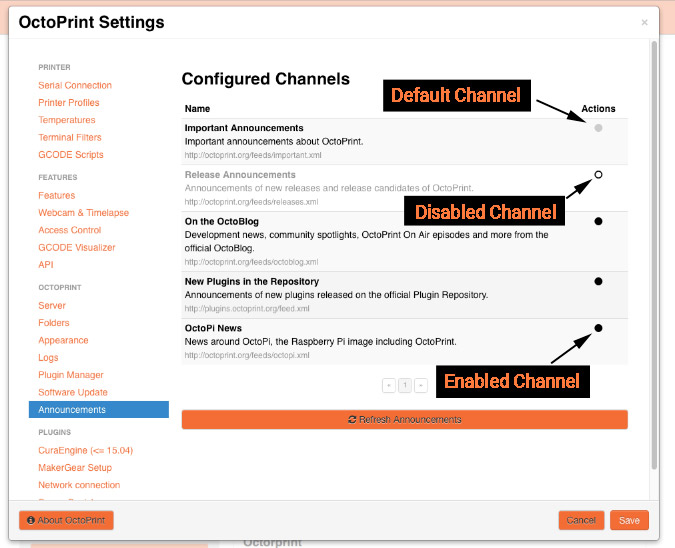
To enable / disable announcements, login to Octoprint and open the settings menu from the Navigation bar. On the left menu under 'Octoprint' click the 'Announcements' link. You should see several channels, each with a circle to the right of the channel name. A black, filled circle indicates that the channel is active. A circle with a white center and black outline indicates the channel is inactive. You can click on a circle to toggle it active/inactive.
NOTE: The 'Important Announcements" channel is the default channel and cannot be disabled.