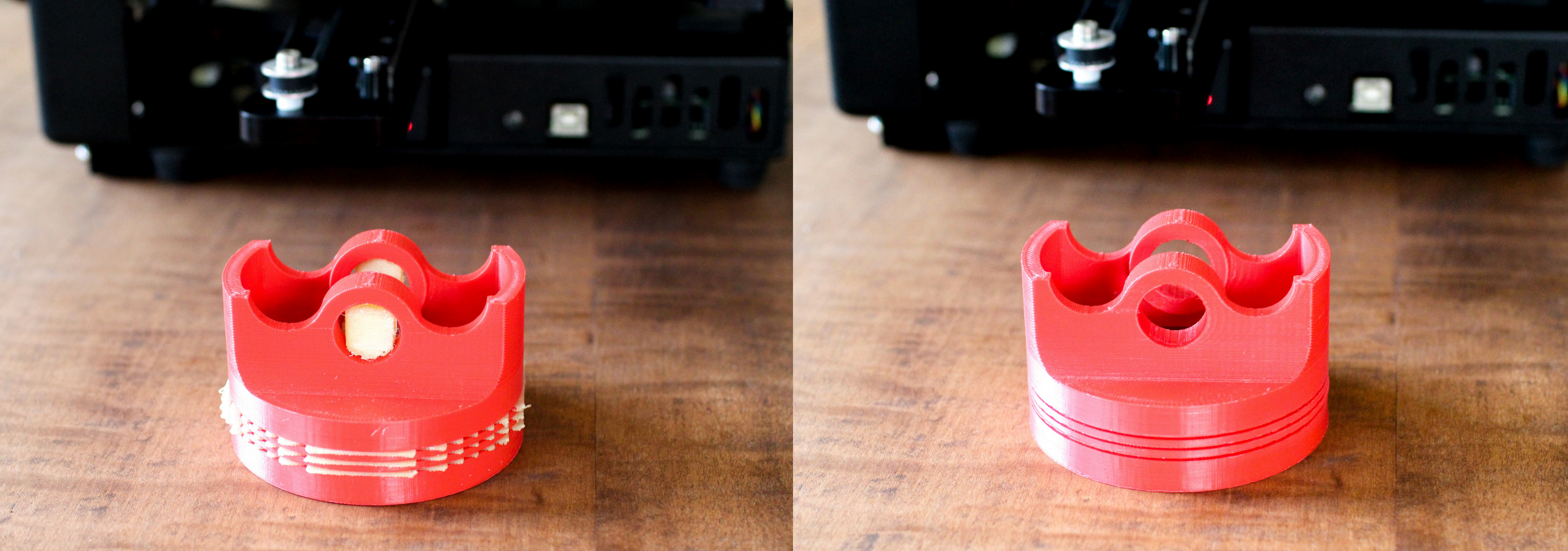
Polyvinyl Alcohol (PVA) has become a common soluble support material for 3D-printed parts that contain highly complex geometric features. It is typically used in combination with PLA, and can also be used with some co-polyesters and nylons on an experimental basis. In this article, you’ll learn about the features, benefits, and best practices of printing with PVA and PLA using the MakerGear M3 Independent Dual (M3-ID).
While the majority of 3D prints requiring support material are better suited to the use of same-material support, PVA is perfect for applications in which support material removal is either highly labor-intensive or mechanically infeasible. Because PVA dissolves in water, it offers a simple, cost effective solution for both professional and hobbyist users with advanced prototyping needs.
Basics:
PLA Temp: 200 - 215 °C
PVA Temps: 200 - 225 °C
HBP Temp: 60-70 °C
Cooling fan: 100%
PVA-specific settings:
- Dense support layers to ensure high-resolution overhang features. Brim to ensure adhesion.
- Dry box recommended for maximum reliability.
- Retract in ending script to prevent clogs.
- Prime pillar required, ooze shield recommended for maximum reliability.
Troubleshooting:
*Proper T0-T1 Nozzle calibration along all three axes is critical
To reduce the risk of clogs, be sure to always retract PVA filament from the extruder immediately after a print has finished. A clogged extruder can be remedied simply by following the cold-pull procedure.
Inter-material adhesion issues can be caused by excessive cooling as well as inadequate ambient and extruder temperatures, which can be resolved by either increasing your bed temperature and/or reducing the fan’s cooling rate slightly.
To ensure consistent bed adhesion, maintain proper calibration and a light coating of PVA for best results.